BEFORE (CRYING BABY)
Alpha test build
Local meeting notes and summaries.
Even from noisy places.
Tish turns online meetings into transcripts, summaries, and searchable notes. It cleans up cafe chatter, airport noise, keyboard clatter, and home background sound. Local-first by design. No cloud required.
Local-first on Mac Zoom, Meet, Teams Cafe, airport, home
Fetching latest Mac build...
Mic cleanup for noisy rooms.
Compare the raw mic with Tish cleanup in a few real-world samples.
AFTER (TISH ON)
Speech with a crying baby in the background before, and a clean voice after.
Each example uses the same spoken clip, so you can focus on the cleanup.
Everything you need. Nothing you don't.
Built for clean calls, solid records, and fast post-call follow-up.
Auto-start triggers
Start noise cancellation and recording automatically for Zoom, Teams, Slack, Discord, FaceTime, Webex, and your own custom trigger apps.
Adaptive mic gating
Voice activity detection saves CPU by backing off when you are silent and can cut mic audio transmission after long stretches with no speech.
Dual-track recording
Capture your microphone and speaker or app audio on separate tracks for cleaner review, playback, and export.
Post-call transcription
Transcribe after the call with Parakeet or Qwen3, with punctuation and casing restored automatically.
Speaker directory
Label speakers across sessions, rename identities, set roles like You and Remote, merge profiles, and preview voices.
Voice hygiene analysis
Speech event detection flags mumbling, weak voice quality, and non-speech sounds like mouth noise before they hurt the call record.
AI summaries, your way
Generate brief, detailed, bullet, or action-focused summaries with local models or optional cloud providers when you choose them.
Local modelsOpenAIAnthropicOpenRouterGoogle AI Studio
Tish vs. the usual call stack
Most tools solve one slice: noise, notes, or meeting intelligence. Tish keeps the whole call workflow on your Mac.
Clean voice is only half the job. Tish also knows when not to send audio.
Adaptive VAD saves CPU and cuts mic transmission during long silence.
SED voice hygiene analysis flags mumbling and unwanted mouth or non-speech sounds.
Free
basic NC, recording, transcription
6
local NC models
VAD
adaptive mic gate and CPU savings
SED
voice hygiene and sound event checks
Multibackends
CPU/GPU/ANE, including efficient ANE
| Product | Audio control | Local engine | After-call workflow | Tradeoff |
|---|---|---|---|---|
| Tish Mac-native call workspace | Free core includes basic NC, recording, and transcription; VAD gates the mic when you stop speaking | CPU/GPU/ANE backends, adaptive silence handling, and SED voice-quality analysis | Dual-track recordings, transcripts, speaker memory, summaries, and Google ecosystem integrations | For people who want clean audio, searchable call records, and Calendar, Drive, and Gmail follow-up |
| Krisp One-button noise layer | Great when the default suppression fits; reviews mention robotic, muffled, or choppy voice when it does not | Performance modes balance quality vs. CPU/RAM, but the cleanup tradeoff stays mostly automatic | Meeting assistant features exist, but the product starts from live noise cleanup | For teams that prefer simple rollout over audio-engine control |
| SoundVeil-style tools Mac virtual microphone | On-device cleanup for the selected microphone | Apple Silicon focus, without public model or backend switching | Noise cleanup only, without a call archive or speaker memory | For lightweight live filtering when notes and records are handled elsewhere |
| Granola-style notes AI meeting notes | Assumes your live audio setup is already good enough | Optimized for notes, not noise-model or backend selection | Transcript, notes, and follow-up when your audio setup is already good enough | For people who want notes, not a controllable audio engine |
| Built-in suppression Default app or OS setting | Useful baseline cleanup inside Zoom, Teams, or macOS | One-size-fits-most switch with limited tuning | No independent recording, transcript, or speaker directory | For basic calls where a default toggle is enough |
Competitor positioning is based on public product pages and user reviews checked in May 2026.
Pricing
Basic noise cancellation and transcription are free with standard models, and call recording is included. Paid plan details come from Zamok.
Tish Cloud Monthly
$7 / month
Monthly access to cloud-backed features and Pro.
Buy through ZamokTish Cloud Yearly
$70 / year
Annual access to cloud-backed features and Pro.
Buy through ZamokTish Pro License
$150 per version
One-time Pro license for the current major version.
Buy through ZamokNative Mac surfaces
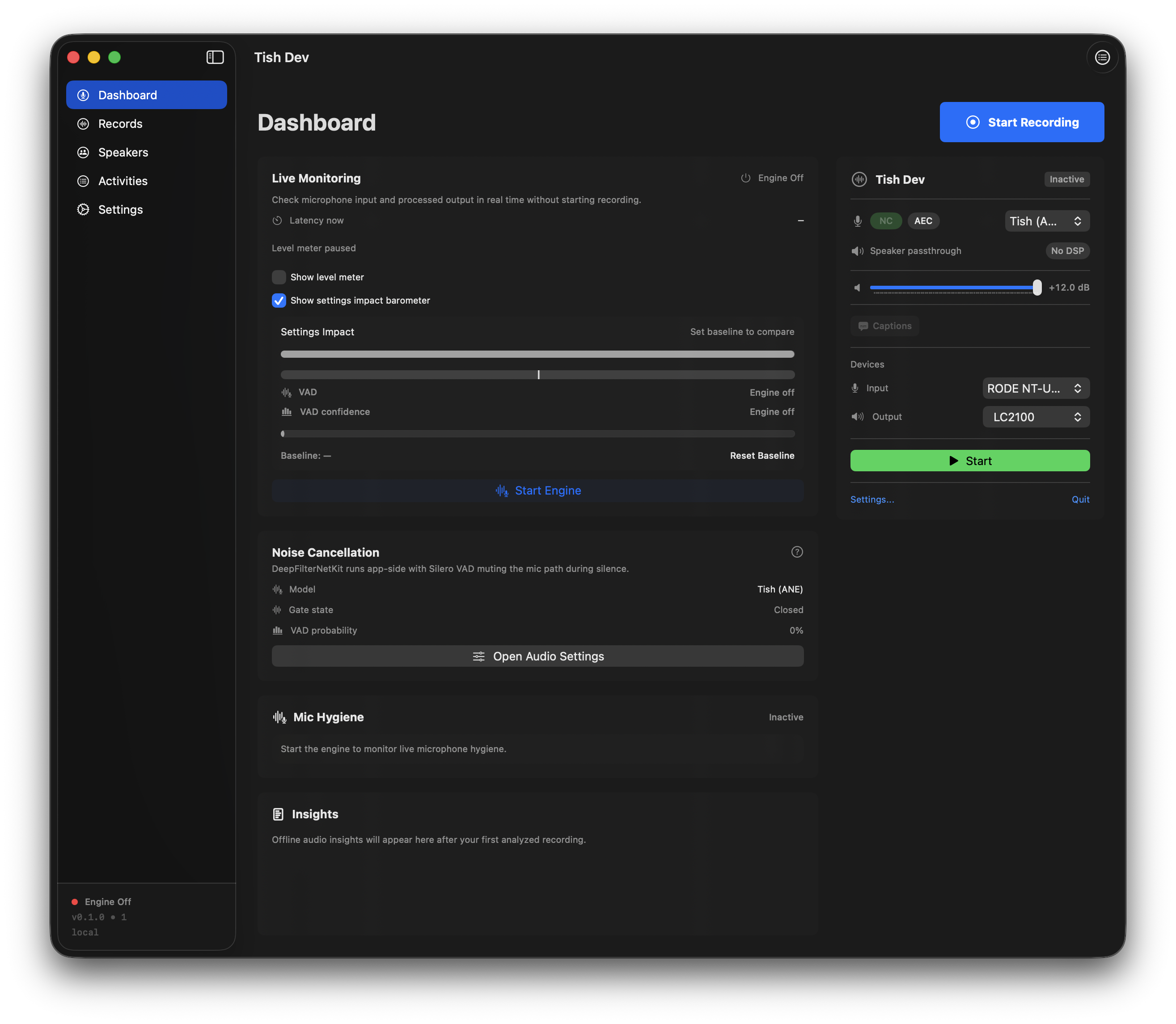
Quiet in the menu bar. Detailed when you need recordings, transcripts, and model controls.
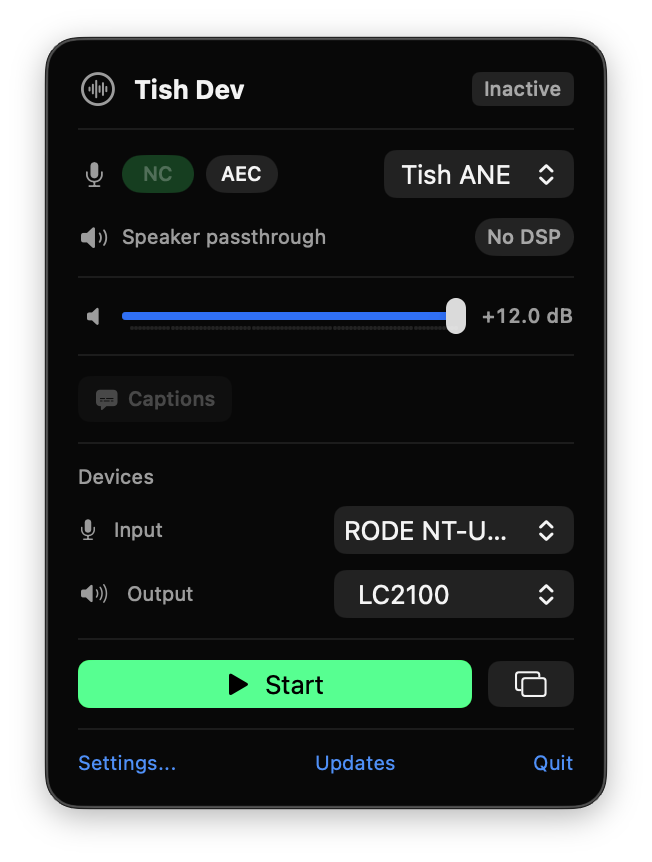
Menu bar controls
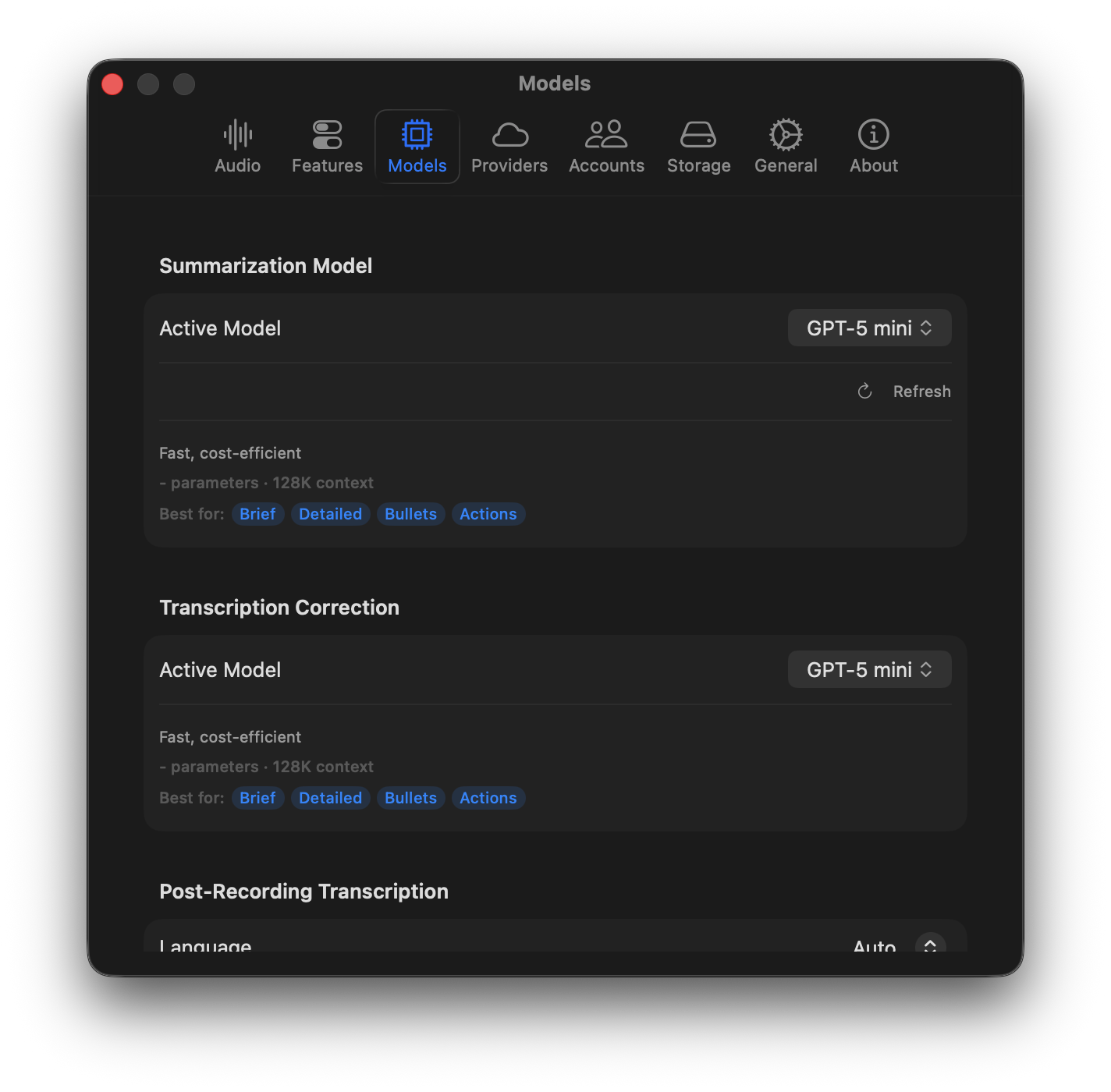
AI Models
Alpha access
Download the current build, buy Pro through Zamok, and keep using free basic features with standard models.
DMG
Latest Mac build
Download the newest Tish build through the release endpoint. The button updates itself with version, size, and SHA-256.
ALPHA
Alpha testing
Tish is in alpha, so expect rough edges while core noise cancellation, recording, and notes workflows stabilize.
PRO
Buy Pro through Zamok
Pro licenses are now handled through Zamok. Basic standard-model noise cancellation and transcription remain free.
Alpha signup closed
Buy Pro when you need the paid features
Pro licensing is controlled in Zamok, while basic standard-model noise cancellation and transcription remain free.
Product updates
Get Tish release updates
Alpha builds, launch timing, and pricing changes by email.
Under the hood
- Basic NC, call recording, and transcription are free
- Six local NC models with CPU, GPU, and ANE backend options
- ANE backend for energy-efficient local noise cancellation on long calls
- Adaptive VAD saves CPU during silence and cuts mic transmission after extended no-speech periods
- SED voice hygiene analysis flags mumbling, weak voice quality, and unwanted mouth or non-speech sounds
- Floating widget for quick noise cancellation and recording control
- Audio insights and mic hygiene analysis per session
- Recording start and stop announcements with preview support
- Notifications for audio routing or device problems
- Session history, bulk actions, and transcript export
- Import external audio files for later processing
- Launch at Login, hotkeys, storage cleanup, and Sparkle updates
FAQ
A few practical questions before you download the alpha build.
Can I buy or download Tish today?
Yes. You can buy Pro through Zamok in the Pricing section or download the latest Mac build from this page.
How much does Tish cost?
Basic functionality is free with standard models, including noise cancellation, call recording, and transcription. Paid pricing starts at $7 per month, $70 per year for Tish Cloud, or $150 per Tish Pro version.
What works locally vs. in the cloud?
Tish is local-first. Basic noise cancellation, call recording, and post-call transcription with standard models are free. The core flow can run on your Mac, including mic noise cancellation, recording, speaker labeling, and local summaries. Cloud providers are optional when you choose hosted models or connected account features.
Is alpha signup still open?
No. The alpha signup list is closed. Use Pricing to buy Pro, or leave your email in Product updates for release and pricing emails.
What happens after alpha?
Pricing and license terms are shown through Zamok. Product update emails will cover major launch and pricing changes before they apply.